AI 3D figurine
Turn one photo into a small collectible on a desk: a clear round base, a toy box with flat artwork, and a monitor showing the 3D model. CapCut has a 9:16 template. Gemini makes the still from one prompt.
- First observed
- 2025-09-01
- Source
- 2026-10-20 radar keyword, rewritten as the photo-to-figurine effect. Checked against the Gemini figurine thread posted 2025-09-01 22:41:28 UTC, Google's 2025-09-12 examples post, and CapCut's 3D figurine template.
Platforms
| Platform | Price note | Verified |
|---|---|---|
| CapCut (3D figurine) | Not observed. The template page did not print a price on 2026-10-20. | Verified |
| Google AI Studio (Nano Banana 2.1) | Standard paid-tier image output is equivalent to $0.0336 per 1K image, $0.0504 per 2K image, and $0.113 per 4K image. Free tier: Not available. A current Gemini app plan price was not observed. | Verified |
| Google AI Studio (Nano Banana Pro) | Standard paid-tier image output is equivalent to $0.134 per 1K or 2K image and $0.24 per 4K image. Free tier: Not available. A current Gemini app plan price was not observed. | Verified |
Examples
- https://x.com/GeminiApp/status/1962647019090256101
- https://x.com/googlejapan/status/1967936506175049798
Related tools
Related models
What it is
An AI 3D figurine is one photo rebuilt as a desk toy. The finished picture puts a small figure on a clear round base, sets a toy box with flat artwork beside it, and puts a 3D model of that same figure on the computer screen. You upload one photo. For the still, you paste one prompt. For the vertical video, you open CapCut's 3D figurine template.
The look people copy was posted by Google Gemini at 2025-09-01 22:41:28 UTC, which is 2025-09-02 06:41:28 in Asia/Singapore. Nano Banana is the nickname of the Gemini image model you paste the prompt into. It is not the name of the figurine. The posts below are other people's. This page does not include a figurine we generated.
Source: Google Gemini (@GeminiApp) on X, https://x.com/GeminiApp/status/1962647019090256101
That post says "From photo to figurine style in just one prompt" and shows four stills: a corgi, a tree, a clothed adult holding a phone, and a clothed family. Each one sits on a clear base, next to a box, with a 3D model on the monitor. The reply at the same second tells you to open the Gemini app or gemini.google, upload the photo you want to use, and paste the prompt. The full prompt is in the steps below.
Source: Google Japan (@googlejapan) on X, https://x.com/googlejapan/status/1967936506175049798
Google Japan's post, at 2025-09-16 13:00:00 UTC (2025-09-16 21:00:00 Asia/Singapore), shows a rainbow fluffy horned mascot on a clear base. The white box beside it reads "Made with Gemini."
Timeline
The public how-to this page follows is the Gemini thread below. CapCut's template data timestamps the 3D figurine card later the same month. The card was still that template on 2026-10-20. A cooling date was not part of these events.
- 2025-09-01 22:41:28 UTC (2025-09-02 06:41:28 Asia/Singapore) · Google Gemini posted four figurine stills. The reply at the same second is the one-photo prompt. · From photo to figurine · Prompt reply
- 2025-09-12 · Google's examples page listed "Turn your pet into a figurine" among Gemini image edits. · 10 examples
- 2025-09-16 13:00:00 UTC (2025-09-16 21:00:00 Asia/Singapore) · Google Japan posted a mascot figurine made in Gemini. · Mascot figurine
- 2025-09-19 23:59:21 UTC (2025-09-20 07:59:21 Asia/Singapore) · CapCut's template data sets
createTimeanduploadDateto 1758326361 for the 3D figurine template by (JC)Templateforyou. · 3D figurine - 2025-11-20 · Google's Nano Banana Pro announcement named mini figurines as something the first image model already did. · Introducing Nano Banana Pro
- 2026-10-20 · The 3D figurine card still showed the title, the number 1 beside a film icon, a 00:22 badge, aspect ratio 9:16, and Use this template. · 3D figurine
Where to make it
Open CapCut's 3D figurine template when you want the 9:16 video. Open a Nano Banana chat when you want the still: upload the photo and paste the prompt from the reply posted 2025-09-01 22:41:28 UTC. A separate figurine button was not on the Gemini pages checked on 2026-10-20.
CapCut, 3D figurine
Use this on the CapCut website when you want the vertical desk-toy clip. Sign in when the button asks. A price for this template was not observed on 2026-10-20.
Open 3D figurine. A GET on 2026-10-20 returned HTTP 200 and stayed on that address. The title is "3D figurine". The author line reads (JC)Templateforyou, followed by a heart and a US flag. The card shows the number 1 beside a film icon, a duration badge of 00:22, aspect ratio 9:16, and the hashtags #ai #figurine #transform #fyp #viral. Use this template opens CapCut login, and that address keeps template id 7551953256256195901. A GET of that login address on 2026-10-20 returned HTTP 200 and stayed there.
Page data lists videoRatio 9:16, width 720, height 1280, segmentAmount 1, and templateDuration 21593. The public file measures 720 by 1280 and 21.625 seconds, and it includes an audio track. Sampled frames show a clothed adult in a striped dress, on a clear base, beside a box with the same artwork, and a 3D model of that figure on the monitor. The frames show a CapCut watermark and CapCut ID 8047366774. A song title and a music license were not printed. Page data sets is_valid_template_region and useAvailable to false, and the script includes a sentence that the template is not available in your country or region. The capture still showed the card and Use this template. The signed-in editor was not opened.
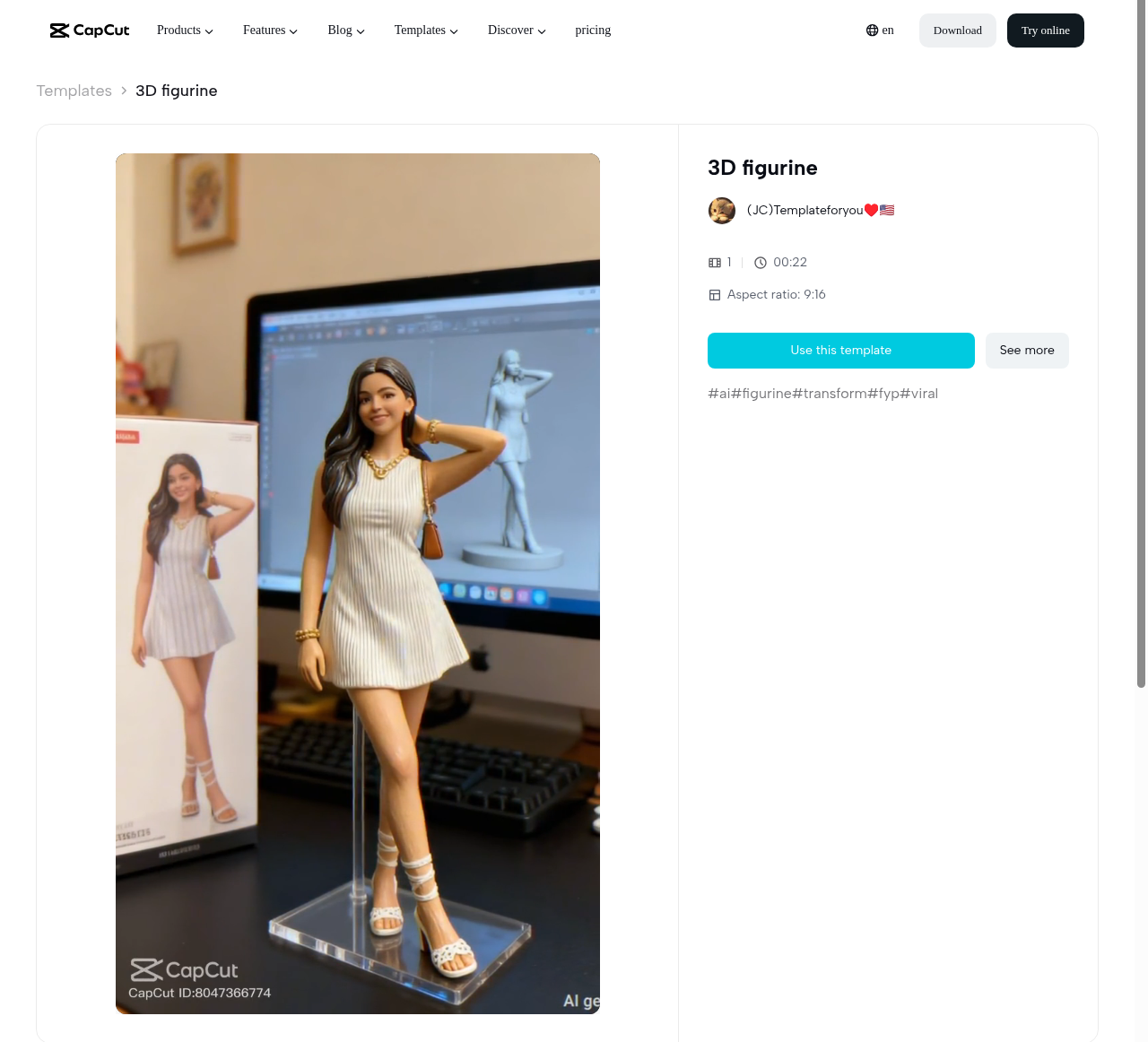
Source: (JC)Templateforyou on CapCut, https://www.capcut.com/template-detail/3D-figurine/7551953256256195901, captured 2026-10-20.
Google AI Studio, Nano Banana 2.1
Use this when you want the still on the current fast image model. It is a website. You sign in with a Google account. There is no figurine subscription on the model card. The rates below are the Standard paid tier on the Gemini API pricing page, checked 2026-10-20.
Open Nano Banana 2.1 new chat. An unsigned visit is sent to Google sign-in, and the continue address keeps model=gemini-nano-banana-2.1. The pricing page's Try link is that same chat. The public card is Gemini Nano Banana 2.1. Model code: gemini-nano-banana-2.1. The card says inputs are text, image, video, and PDF, and the output is an image and text. Default resolution on the card is 1K. The card also says the model can take up to 14 reference images, keep up to 4 characters consistent, and hold up to 10 objects. The figurine reply does not use those extra inputs. It says one photo.
Standard image output on 2026-10-20 is equivalent to $0.0336 per 1K image, $0.0504 per 2K image, and $0.113 per 4K image. Standard input on that row is $1.50 per 1 million tokens for text, image, or video. Free tier: Not available. On 2025-09-01 22:41:29 UTC, @GeminiApp wrote that image creation and editing was free for everyone in the Gemini app. A Gemini app plan price was not on the pages opened for this check.
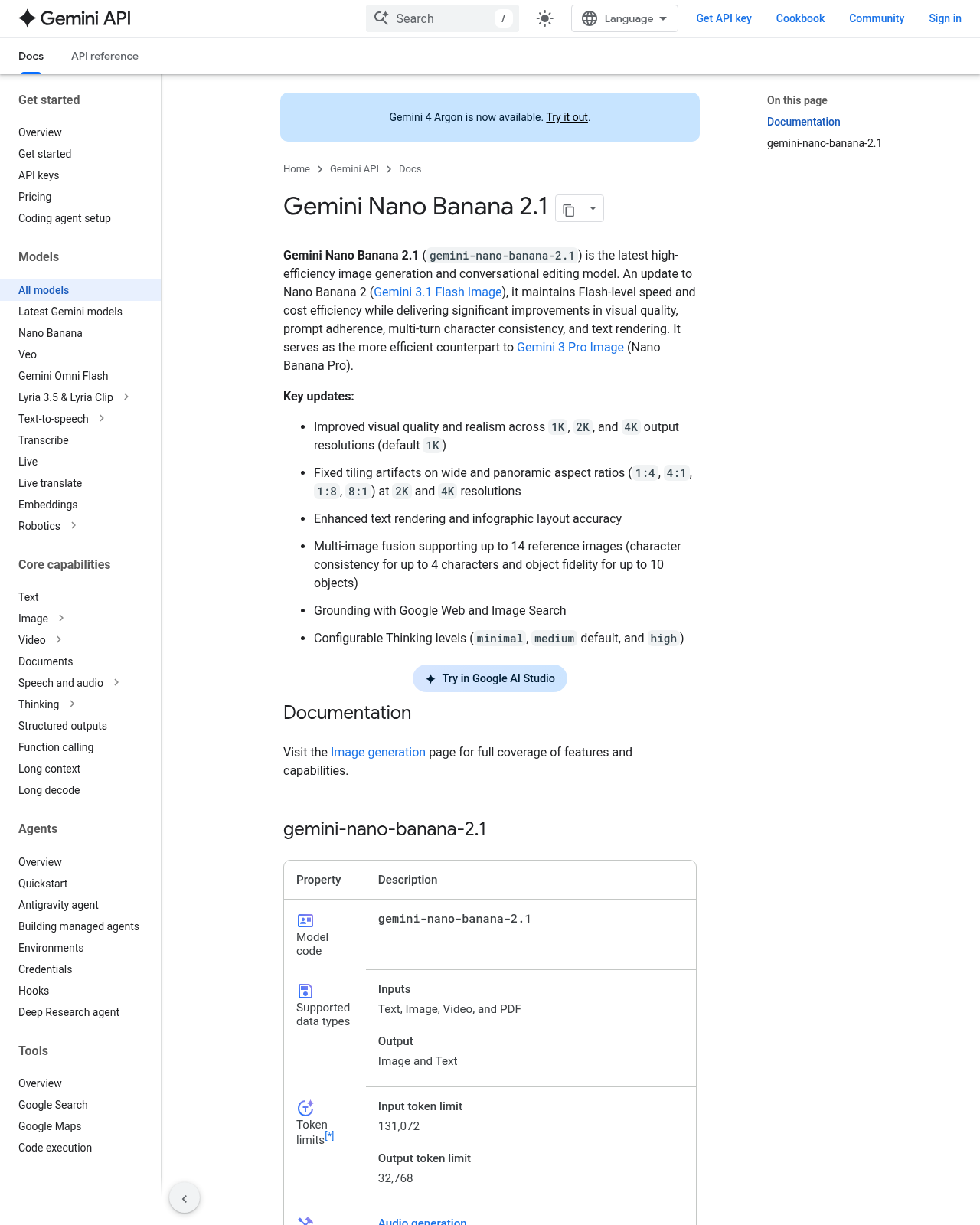
Source: Google, Gemini API model card, https://ai.google.dev/gemini-api/docs/models/gemini-nano-banana-2.1, captured 2026-10-20.
Google AI Studio, Nano Banana Pro
Use this when you want the Pro model id for the same still. It is the same website and the same sign-in. The model card calls Nano Banana Pro a reasoning-driven engine for professional-grade image editing and generation. Inputs on that card are image and text. Output is an image and text. A figurine-only preset was not on the card.
Open Nano Banana Pro new chat. Unsigned visits go to Google sign-in, and the continue address keeps model=gemini-3-pro-image. Public card: Gemini 3 Pro Image. Model code: gemini-3-pro-image. The card's own Try control points at https://aistudio.google.com/?model=gemini-3-pro-image, which lands on the AI Studio welcome page. Use the new-chat link above when you want the model selected.
Standard image output on 2026-10-20 is equivalent to $0.134 per 1K or 2K image, and $0.24 per 4K image. Standard input on that row is $2.00 per 1 million tokens for text or image, which the page also writes as $0.0011 per image. Free tier: Not available.
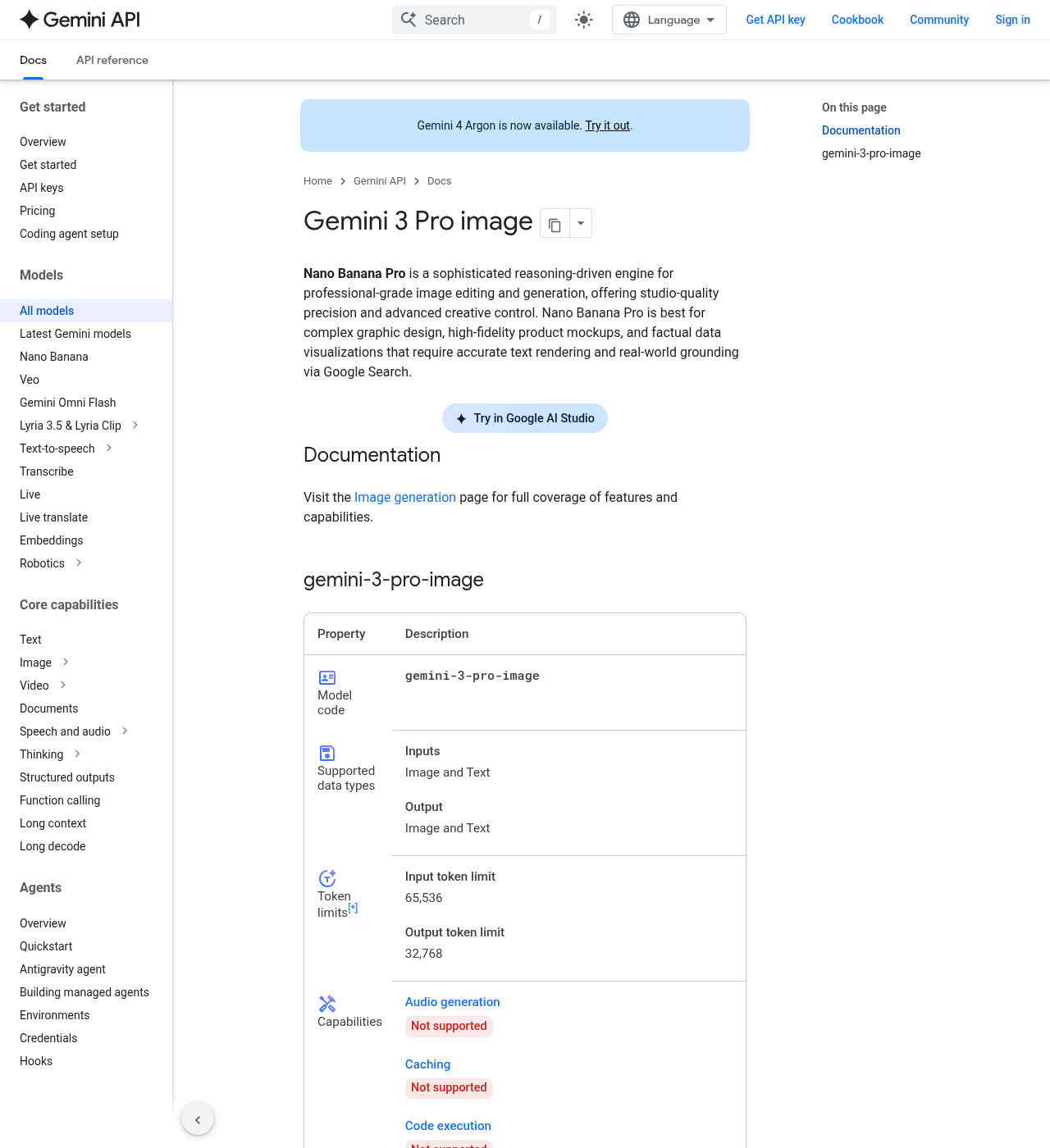
Source: Google, Gemini API model card, https://ai.google.dev/gemini-api/docs/models/gemini-3-pro-image, captured 2026-10-20.
Nano Banana 2 (gemini-3.1-flash-image) and Nano Banana 2 Lite (gemini-3.1-flash-lite-image) are other chats on the same pricing page, not figurine buttons. On 2026-10-20 both Standard rows mark the free tier not available. Nano Banana 2's Standard image output is equivalent to $0.045 per 0.5K image, $0.067 per 1K image, $0.101 per 2K image, and $0.151 per 4K image. Lite's Standard image output is equivalent to $0.0336 per 1K resolution image. Open one of those only when you want that model id.
Kling's homepage and app, and Higgsfield's image page, had no dedicated figurine template as of 2026-10-20.
Three steps
Open the tool. For the video, open the 3D figurine template and sign in when Use this template asks. Leave template id
7551953256256195901in the address. For the still, sign in and open the Nano Banana 2.1 chat. Leave the model ongemini-nano-banana-2.1. Switch to the Pro chat only if you chose that price on purpose.Add one photo you have a right to use, and paste the prompt if you are in Gemini. Use a pet, an object, or a person who agreed. The reply posted 2025-09-01 22:41:28 UTC says to upload the photo and paste this prompt:
Create a 1/7 scale commercialized figurine of the characters in the picture, in a realistic style, in a real environment. The figurine is placed on a computer desk. The figurine has a round transparent acrylic base, with no text on the base. The content on the computer screen is a 3D modeling process of this figurine. Next to the computer screen is a toy packaging box, designed in a style reminiscent of high-quality collectible figures, printed with original artwork. The packaging features two-dimensional flat illustrations.
The CapCut template page does not print that prompt. Page data lists
segmentAmount1. The signed-in editor was not opened, so the exact upload control was not observed.Export the size the path already prints. On Gemini, the documented result is an image, plus text if you leave the default response on. A clip duration for that still was not observed. For a vertical post, set the aspect ratio to 9:16. On the image generation page, Nano Banana 2.1 at 1K and 9:16 is 768 by 1376 pixels. The same page says the default matches your input photo's size, and otherwise makes a 1:1 square. The model card's default resolution is 1K. Download the image the studio returns. All generated images include a SynthID watermark. On CapCut, keep the printed 9:16 and 00:22. The public file is 720 by 1280 and 21.625 seconds, and it shows a CapCut watermark.
Before you post
The input is a real photo the moment it shows a person or a pet. Use a picture you took, a picture the subject gave you, or a subject that is not a person. The 2025-09-01 22:41:28 UTC post includes a family and a pet because Google posted them. They are not permission for you to upload someone else's face, a child's photo, or a stranger. A friend's photo and a celebrity still are likenesses too. Get a yes before you publish those. The person in the CapCut template is a likeness as well.
Say the picture is AI. The image generation page says all generated images include a SynthID watermark. Put the same fact in the caption, and use the network's AI label when the upload form has one. Viewers should be able to tell the desk, the base, and the box were generated. The CapCut frames carry a CapCut watermark. The caption still has to say the clip is AI.
The prompt asks for original artwork on the package. It does not name a toy company. One still in the Gemini post prints a brand mark on the box. That mark is not a license. If a logo shows up on your image, crop it or run the prompt again. The model does not license the photo you uploaded. If you add music to the still, that track is a separate right. No music license was printed on the image pages checked here. The CapCut file includes an audio track, and that page did not print a song title or a music license. Nothing on this page is legal advice.
Related pages
- CapCut is the editor that hosts the 3D figurine template. Read it for the website and the app. This trend check did not re-price CapCut plans. The template page printed no price on 2026-10-20.
- Google Flow is this directory's page for Google's creative studio. The entry checked on 2026-10-17 names Nano Banana as the image model next to Veo. A figurine preset inside Flow was not opened for this trend, and Flow prices were not copied here.
- Higgsfield is a multi-model studio. On 2026-10-20 its
/image/nano_bananapath redirected to the general image page, which had no figurine template, so it is not a make-it link above. - Veo is Google's video model. The image generation page points to the Veo guide when the job is video. The figurine documented here is a still or the CapCut template, so open Veo only if you leave both and generate a clip. This trend check did not copy a Veo rate.
FAQ
Is Nano Banana the figurine?
No. Nano Banana is Google's nickname for the Gemini image models. The 2025-08-26 developer post introduced Gemini 2.5 Flash Image and called it nano-banana. The figurine is the prompt in the steps above, plus the separate CapCut template titled "3D figurine". On 2026-10-20 the chat this page uses for a new still is gemini-nano-banana-2.1. Pro is gemini-3-pro-image.
Do I need more than one photo?
The reply at 2025-09-01 22:41:28 UTC says to upload the photo you want to use and paste the prompt. One photo is that recipe. The Nano Banana 2.1 card also allows text, video, PDF, and up to 14 reference images. Those extra inputs were not part of the figurine posts checked here. Page data for the CapCut card lists segmentAmount 1, and the card does not print the prompt.
Is the CapCut template the Gemini prompt?
No. The Gemini recipe is one photo plus the prompt in the steps above. The CapCut page is a video template by (JC)Templateforyou. It prints 9:16 and 00:22. It does not print the Gemini prompt. A price for that template was not observed on 2026-10-20.
Why does an old post say the Gemini app is free when the API free tier is missing?
Those are different sentences. On 2025-09-01 22:41:29 UTC, @GeminiApp wrote that image creation and editing was free for everyone in the Gemini app. On the API pricing page checked 2026-10-20, Nano Banana 2.1, Nano Banana 2, Nano Banana 2 Lite, and Nano Banana Pro all say the free tier is not available on the Standard row, and that row prints a per-image equivalent. A current price inside the Gemini app was not observed, so do not budget the 2025 sentence as today's app price.
The pricing page says Gemini 2.5 Flash Image shuts down. Which chat do I open?
Open the Nano Banana 2.1 chat in the steps above for a new still, or the CapCut template for the video. The pricing page, last updated 2026-10-19 UTC, warns that gemini-2.5-flash-image is deprecated and will be shut down on October 2, 2026, and it tells you to migrate to Gemini 3.1 Flash Image or Gemini 3.1 Flash Lite Image. That same Standard row still lists $0.039 per image, and the free tier is not available. The image generation page, last updated 2026-10-09 UTC, calls Nano Banana 2.1 the primary high-efficiency workhorse model for image generation and conversational editing, and it says Imagen is shut down. This check did not call the old endpoint.